
If you want a paper texture brush for Procreate but don’t want to buy one, good news: you can make your own in about five minutes. You don’t need to download anything or import any files. Procreate already comes with everything you need.
In this tutorial, I’ll show you how to turn one of Procreate’s built-in brushes into a paper texture brush, step-by-step.
Why Add a Paper Texture Brush to Procreate?
Procreate’s blank canvas is perfectly clean, and that’s not always what you want. A flat white background can make a sketch feel stiff, especially when so much digital art looks polished and similar right now. A little paper texture adds warmth, personality, and that hand-sketched feel that makes artwork look like a real person made it.
Instead of importing a paper image, you paint the texture onto its own layer behind your sketch. That means you can change the color, adjust the depth, and turn it off whenever you like.
If you haven’t added paper texture to a canvas before, I walk through that part in my tutorial How to Add Paper Texture in Procreate. Come back here when you need the brush to do it with.
What You’ll Need
Procreate on your iPad
About five minutes
That’s it! Everything is already inside Procreate.
How to Make a Paper Texture Brush in Procreate (Step-by-Step)
We’re going to duplicate one of Procreate’s default brushes and swap its grain for a paper texture. Duplicating it first means your original brush stays exactly as it was.
Step 1: Open the Brush Library and find the Noise Brush
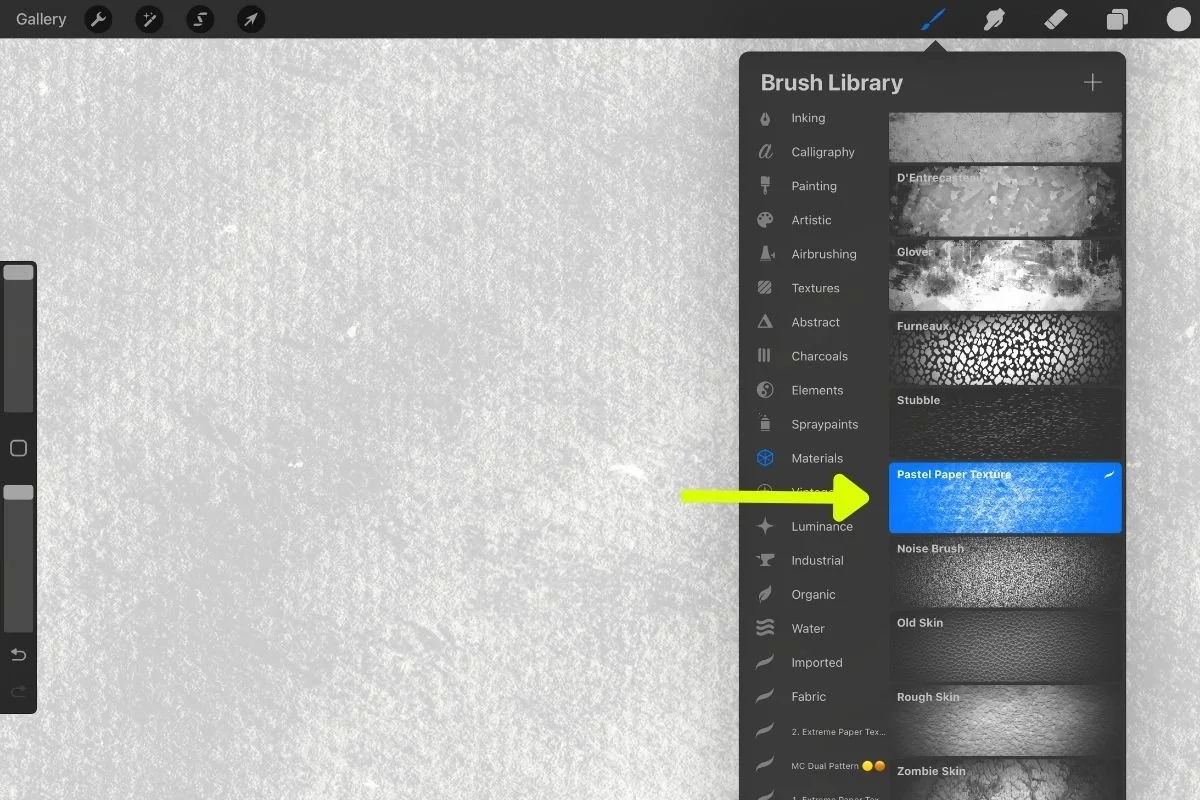
Tap the paintbrush icon in the top-right corner to open the Brush Library. Select the Materials brush set, then tap the Noise Brush.

Step 2: Duplicate the brush
Swipe left on the Noise Brush and tap Duplicate. You’ll see a copy appear right next to the original. This is the one we’ll edit.
Step 3: Open Brush Studio
Tap the duplicated brush a second time to open the Brush Studio. This is where you can change how a brush behaves and looks.
Step 4: Go to Grain
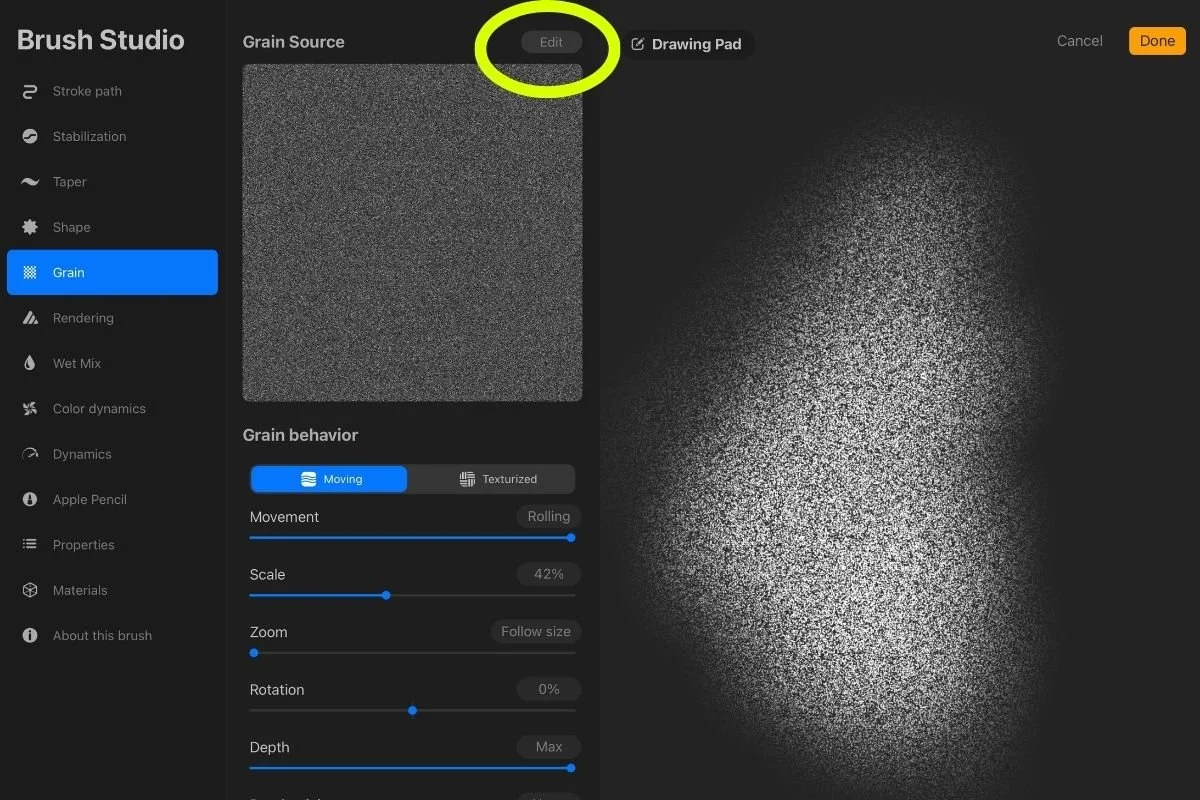
In the menu on the left, select Grain. The grain is what gives a brush its texture, so this is where the paper comes in.
Under Grain Source, tap on Edit or the icon to change it.
Step 5: Import a paper texture from the Source Library
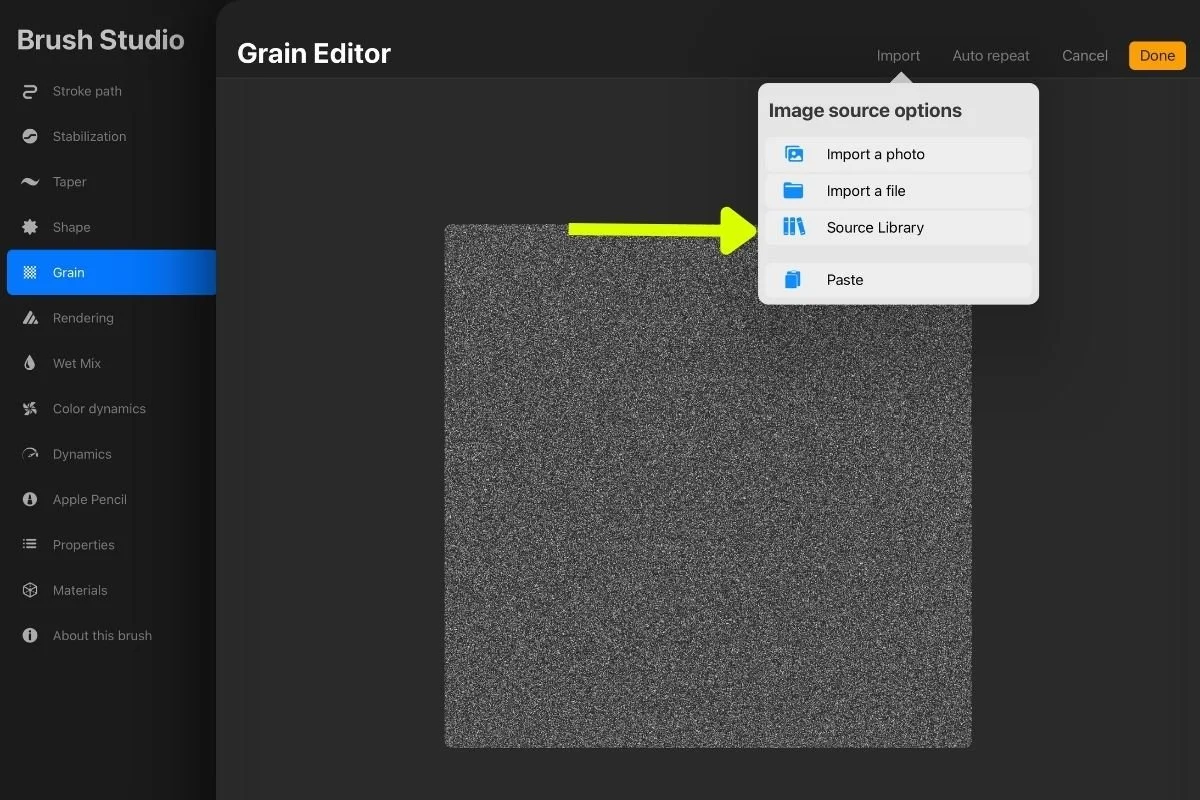
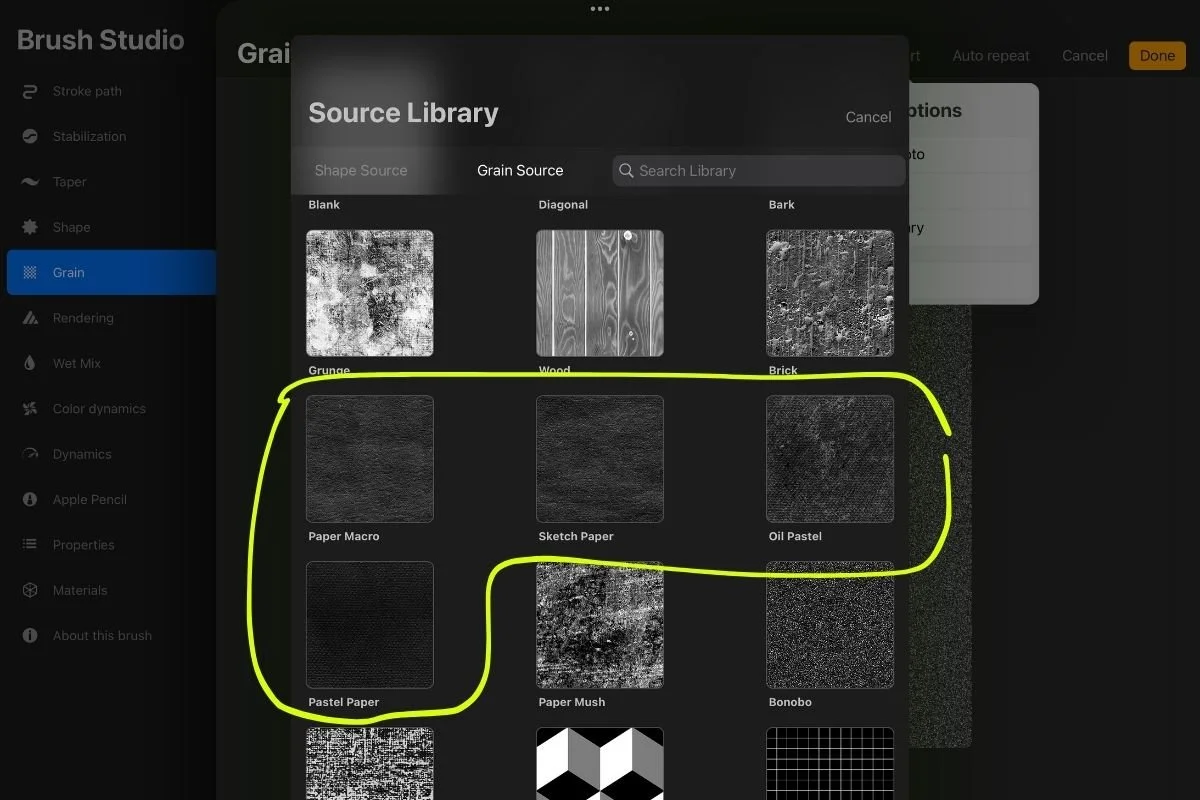
Tap Import, then Source Library, and choose one of the paper options.
My picks to try are:
Paper Macro
Sketch Paper
Oil Pastel
Pastel Paper
Each one has a slightly different feel, so try a few and see which suits your style.
Tap Done and you’re finished. You now have your own paper texture brush, ready to use.
Pro Tip: If the brush size is too small, you can make it larger through Properties > Brush Behavior > Max Size (adjust to a higher setting) > Done
Step 6: Add to the Canvas
Once your brush is ready, head over to How to Add Paper Texture in Procreate to learn how to add the texture to your canvas, adjust its depth, and change the paper color.
Free vs. Ready-Made Paper Texture Brushes
Making your own brush is a great way to start, and for many people it’s all they need.
If you’d rather skip the setup, I have two options that already include paper textures designed for sketching.
Option 1: Pencil + Paper Procreate Brushes
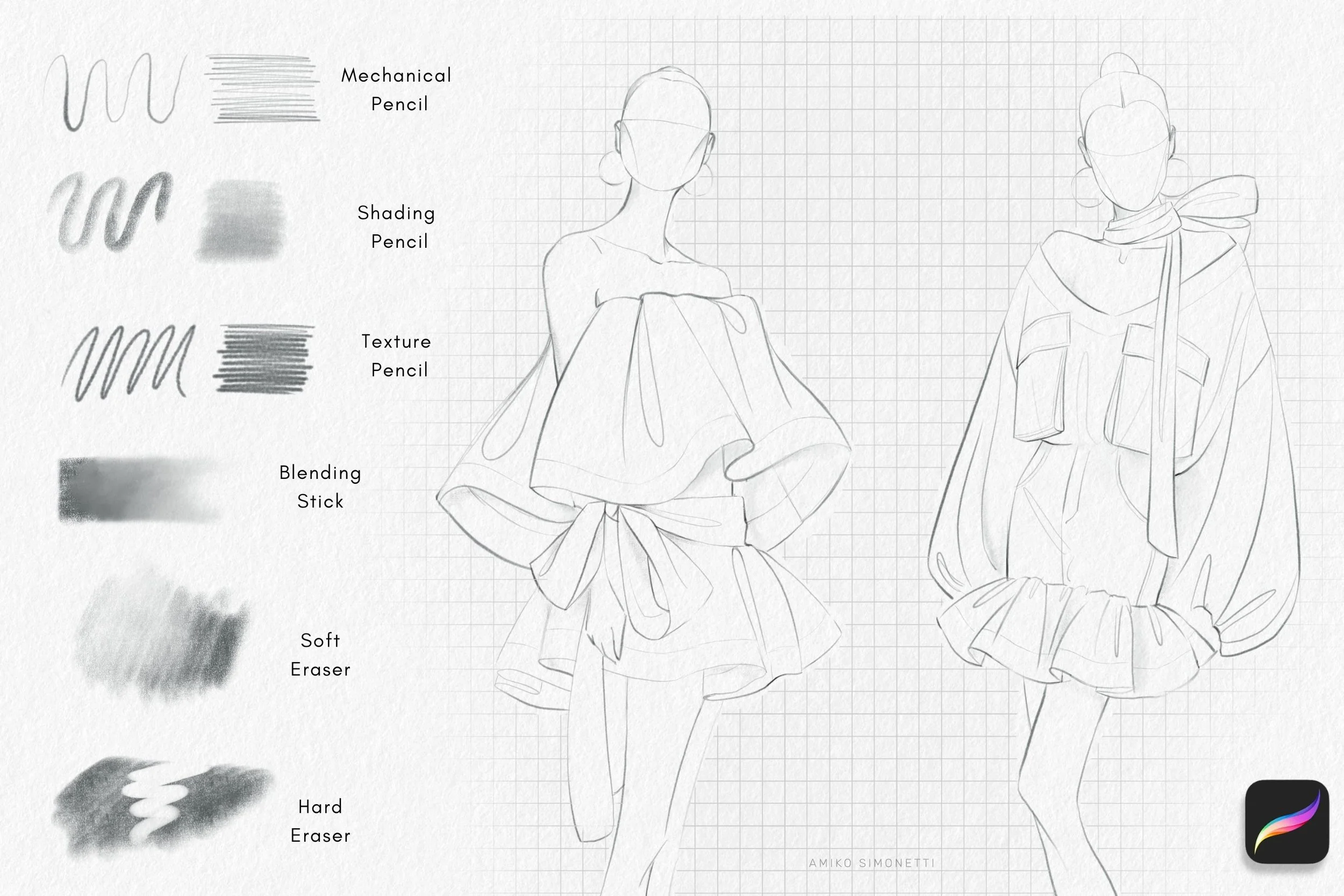
These are the brushes I designed myself after a lot of trial and error. I use them for all of my own portfolio work, and hundreds of customers around the world use them too. The set includes:
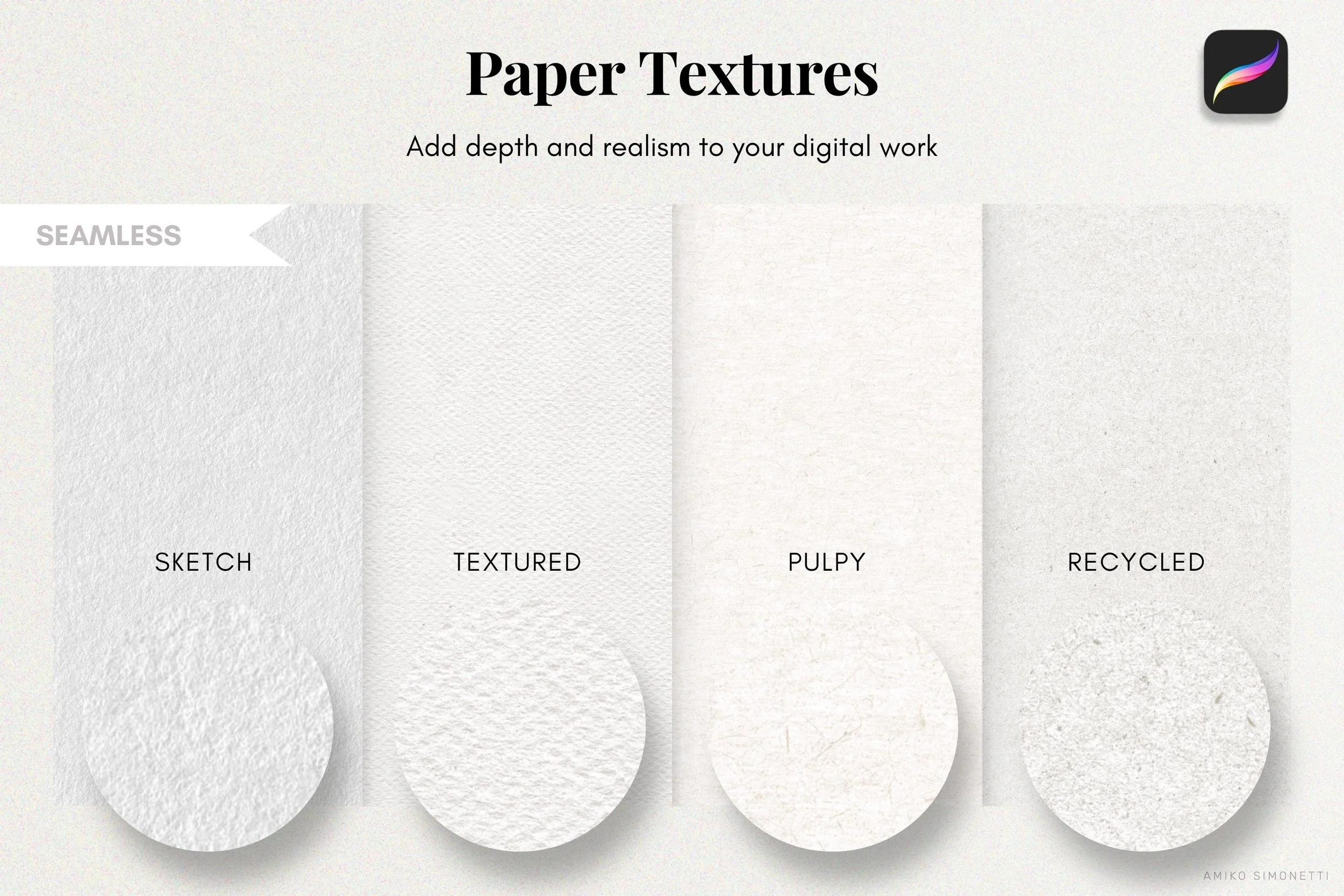
4 paper texture brushes, ready to use (my personal favorites)
A mechanical pencil
A shading pencil
A blending stick
Grids and lines for a notebook feel
The paper texture and the pencils are designed to work together, so your sketches look cohesive without any tweaking. It’s the quickest way to get that hand-drawn look.
Option 2: Procreate for Fashion Design Course
If you want to learn the whole process, not just get the brushes, my Procreate for Fashion Design course includes a brush library called “Procreate Course,” with my most-used custom brushes for fashion design. It includes the “Sketch Paper” texture and my mechanical pencil, and you learn how to use them to create fashion sketches in Procreate.

Final Thoughts
A paper texture brush is a small thing that makes a big difference. In a few minutes, you can turn Procreate’s Noise Brush into a custom paper brush, and give your digital sketches more personality, warmth, and a human touch.
Start with the free version, play with the different paper options, and see how it changes your work. If you decide you want a ready-made toolkit later, the Pencil + Paper Procreate Brushes and my Procreate for Fashion Design course are here when you need them.
Have you tried making your own Procreate brushes? Let me know which paper texture is your favorite.
-Amiko